Strategies for Managing Remote Team Presence and Distractions at Work
In this article

Strategies for Managing Remote Team Presence and Distractions at Work
In 2026, distributed and remote work environments have become the standard for global organizations. While this shift offers flexibility, it also introduces specific challenges related to distractions at work. Without the physical cues of a traditional office, team members often struggle to identify the best time to communicate with colleagues. This lack of visibility frequently leads to an increase in distractions at work, as employees interrupt each other during periods of deep focus.
Effective team management now requires digital tools that replicate the awareness found in physical spaces. When individuals cannot see if a coworker is on a phone call or concentrating on a complex task, they are more likely to send messages that cause distractions at work. Establishing a clear system for presence and availability is essential for maintaining productivity in a digital-first landscape.
The Role of Real-Time Visibility in Reducing Interruptions
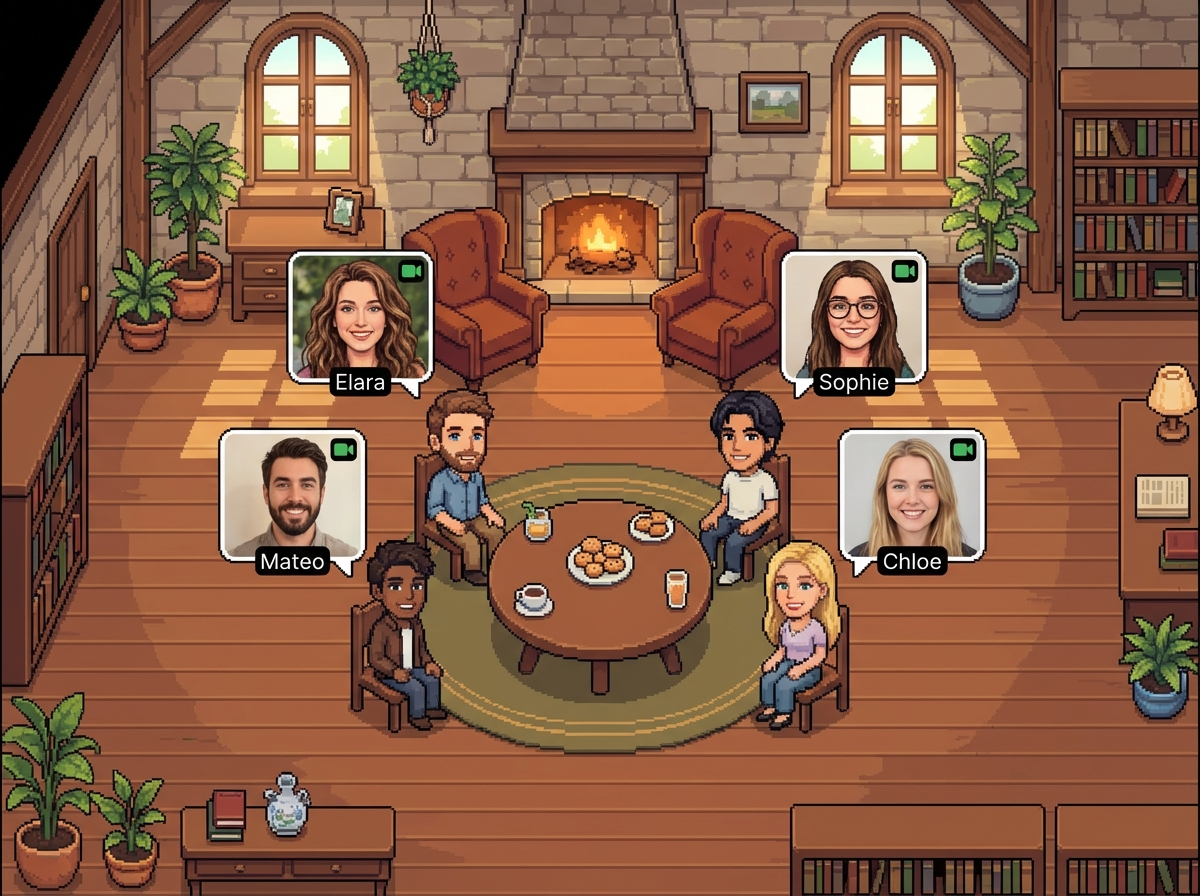
Real-time visibility is a primary method for minimizing distractions at work. By using platforms like Hurbly.ai, teams can access a virtual office environment that displays the current status of every member. This technology allows users to see if a colleague is available for a quick chat, currently in a meeting, or in a "focused" mode. When these statuses are clearly visible, teammates can make informed decisions about when to initiate contact, which significantly lowers the frequency of distractions at work.
Visual presence indicators serve as a digital "do not disturb" sign. In a traditional setting, seeing a colleague with headphones on or behind a closed door provides a signal to stay away. In a remote setting, Hurbly.ai replicates this by showing a user’s real-time activity. This transparency helps distributed teams stay connected without the constant interruptions that characterize common distractions at work.
Comparing Communication Methods and Their Impact on Focus
Different communication styles have varying effects on how teams experience distractions at work. Scheduled video calls often require significant preparation and can break the flow of a workday. Conversely, spontaneous interactions, when guided by presence data, can be shorter and more efficient.
| Communication Method | Effect on Workflow | Distractions at Work Level |
|---|---|---|
| Scheduled Meetings | High interruption; requires time blocking. | Moderate |
| Unplanned Messaging | Interrupts deep focus without warning. | High |
| Presence-Based Chat | Occurs only when the recipient is available. | Low |
| Virtual Office (Hurbly.ai) | Replicates natural office flow and visibility. | Minimal |
By choosing the right method for handling distractions at work, organizations can ensure that urgent tasks are addressed without sacrificing the long-term concentration required for high-level projects. Utilizing a platform that shows who is available helps transition from a culture of constant interruption to one of respectful, timed engagement.
How Virtual Offices Support Spontaneous Collaboration
A virtual office does more than just track time; it facilitates a workflow that avoids unnecessary distractions at work. For freelancers and distributed teams, the ability to start an instant conversation without a scheduled link reduces the friction of coordination. This fluidity is a core feature of Hurbly.ai, which focuses on providing a digital environment where coworkers can see each other's status and engage naturally.
- Status Awareness: Users check the dashboard to see who is active before reaching out.
- Instant Engagement: If a colleague is marked as "available," a quick conversation can happen immediately, preventing the back-and-forth of email threads.
- Focus Protection: If a colleague is "in a meeting" or "focused," the system discourages contact, thereby mitigating distractions at work.
This structured approach to availability ensures that collaboration happens at the right time. It removes the guesswork involved in remote communication, which is a leading cause of distractions at work in modern digital workspaces.
Best Practices for Maintaining Team Concentration
To successfully manage a remote team in 2026, leaders must implement clear protocols to reduce distractions at work. Technology provides the infrastructure, but team culture determines how effectively those tools are used. Consistent use of presence indicators allows everyone to respect the boundaries of their colleagues.
- Update Status Regularly: Ensure that your virtual office status reflects your actual availability to help others avoid causing distractions at work.
- Check Before Calling: Always look at the team dashboard on Hurbly.ai to confirm a coworker is not in a focused state.
- Batch Small Tasks: Use periods of high team availability for quick syncs and questions to consolidate potential distractions at work.
- Respect Focus Modes: When a team member is marked as busy, wait for their status to change before sending non-urgent notifications.
Following these steps creates a more transparent and efficient environment. The goal of modern management is to support a productive workflow where the management of distractions at work is automated through visibility and real-time presence technology.

