Effective Strategies for Implementing Meeting Scheduling Tools in 2026
In this article

Effective Strategies for Implementing Meeting Scheduling Tools in 2026
The landscape of professional coordination has shifted toward automation and real-time visibility. Modern meeting scheduling tools are no longer just digital calendars; they are integrated systems designed to manage time zones, buffer periods, and participant availability. These tools function by syncing with personal or corporate calendars to identify open slots, allowing external or internal stakeholders to book time without back-and-forth emails. By centralizing availability, meeting scheduling tools reduce the administrative burden on teams, ensuring that focus remains on the actual work rather than the logistics of organizing it.
Implementing these systems requires a clear understanding of team workflows. Most meeting scheduling tools operate by generating unique booking links or embedding calendars directly into websites. When a user selects a time, the system automatically updates all connected calendars and sends invitations with video conferencing links included. This automation is critical for maintaining high productivity levels in remote and hybrid environments where manual coordination often leads to scheduling conflicts or missed opportunities.
Enhancing Team Productivity with Synchronous and Asynchronous Work
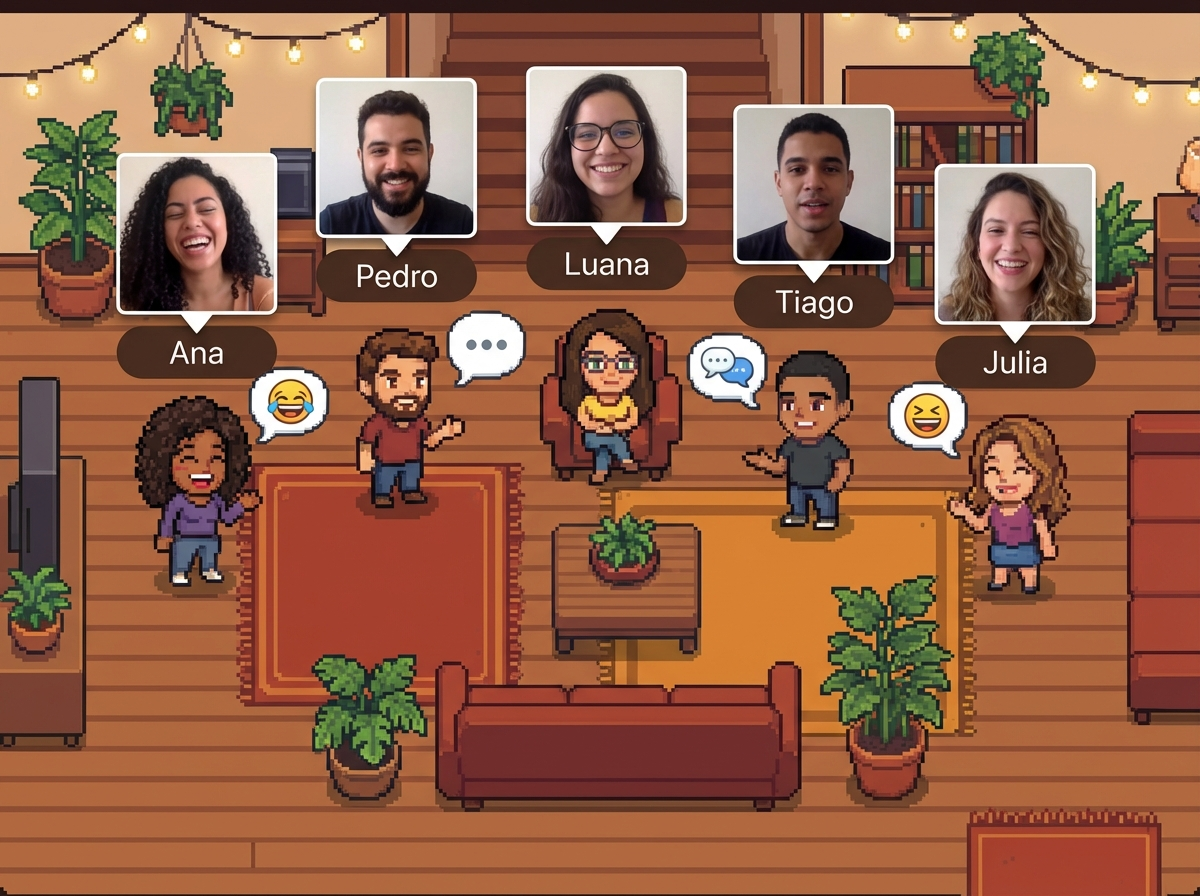
While meeting scheduling tools are essential for formal interactions, they work best when complemented by real-time presence platforms. Hurbly.ai provides a virtual office environment that shows who is currently available, focused, or already occupied. This real-time visibility allows teams to decide whether they need to use meeting scheduling tools for a formal discussion or if they can simply initiate a spontaneous conversation. Integrating presence data with your chosen meeting scheduling tools creates a balanced ecosystem where planned meetings and informal huddles coexist efficiently.
The relevance of this dual approach lies in reducing "meeting fatigue." When employees can see a colleague's status via Hurbly.ai, they often find that a thirty-second chat replaces a thirty-minute scheduled call. However, for complex project deep-dives, meeting scheduling tools remain the gold standard for ensuring all necessary stakeholders are present. Using these technologies together ensures that the digital workspace feels as fluid and accessible as a physical office, supporting both deep work and necessary collaboration.
Key Features to Look for in Meeting Scheduling Tools
Selecting the right software involves evaluating how well it handles complex logic. High-quality meeting scheduling tools should offer features such as:
- Time Zone Intelligence: Automatically detecting the viewer's location to display available times in their local clock.
- Buffer Settings: Adding mandatory breaks between appointments to prevent back-to-back fatigue.
- Group Scheduling: Allowing multiple team members to host a single session or finding a common gap in several calendars.
- Workflow Automation: Sending automated reminders via email or SMS to reduce no-show rates.
Beyond these basics, advanced meeting scheduling tools provide analytics on how time is spent. This data helps managers identify bottlenecks in the week where too many meetings might be hindering execution. By analyzing the frequency and duration of bookings made through meeting scheduling tools, organizations can refine their communication policies to protect "maker time" while still remaining accessible to clients and partners.
Comparison of Coordination Methods in Remote Teams
| Feature | Manual Scheduling | Meeting Scheduling Tools | Real-time Presence (Hurbly.ai) |
|---|---|---|---|
| Speed | Slow (Multiple emails) | Fast (Single link) | Instant (One click) |
| Best For | High-stakes negotiations | Client demos & interviews | Internal quick syncs |
| Coordination | High effort | Low effort | Zero effort |
| Visibility | None | Future availability | Current availability |
As shown, meeting scheduling tools excel at organizing future commitments with external parties. In contrast, internal team dynamics benefit from the "always-on" transparency of Hurbly.ai, which minimizes the need to constantly check meeting scheduling tools for internal availability. Using a combination of these methods ensures that every type of interaction—from a quick question to a formal board meeting—has an optimized path for occurrence.
Steps to Optimize Your Scheduling Workflow
- Audit Current Communication: Identify how many internal meetings could be replaced by spontaneous interactions or status updates.
- Configure Meeting Scheduling Tools: Set up your primary calendar, define your working hours, and establish buffer times to protect your energy.
- Integrate Presence Awareness: Deploy Hurbly.ai to give your team a visual map of who is online, reducing the reliance on meeting scheduling tools for simple internal queries.
- Standardize Booking Links: Create different templates within your meeting scheduling tools for different purposes, such as 15-minute discovery calls or 60-minute technical reviews.
- Review and Adjust: Monthly, check the usage of your meeting scheduling tools to see if certain days are becoming overcrowded and adjust your availability accordingly.
By following this structured approach, organizations can ensure that meeting scheduling tools serve as a bridge to better collaboration rather than a barrier. The goal is to create a frictionless environment where technology handles the "when" and "how" of connecting, leaving the human elements of creativity and problem-solving to the team. In 2026, the most successful companies are those that master the balance between the structured nature of meeting scheduling tools and the spontaneous, human-centric environment provided by platforms like Hurbly.ai.

