Enhancing Team Presence and Communication in Online Meetings
In this article

Enhancing Team Presence and Communication in Online Meetings
The shift toward remote work has transformed how professionals interact, making the management of online meetings a central part of daily operations. In 2026, distributed teams require more than just video conferencing; they need a digital environment that reflects the physical presence of a traditional office. By integrating real-time visibility, organizations can reduce the friction often associated with unscheduled communication and improve the overall flow of their collaborative efforts.
Effective communication in a digital workspace depends on knowing when a colleague is available for a quick chat or deeply focused on a task. Without this context, teams often default to excessive scheduling, leading to a calendar full of unnecessary online meetings. Implementing a system that displays real-time status updates allows team members to interact spontaneously, mimicking the natural "drive-by" conversations that occur in physical offices.
How Virtual Presence Optimizes Digital Collaboration
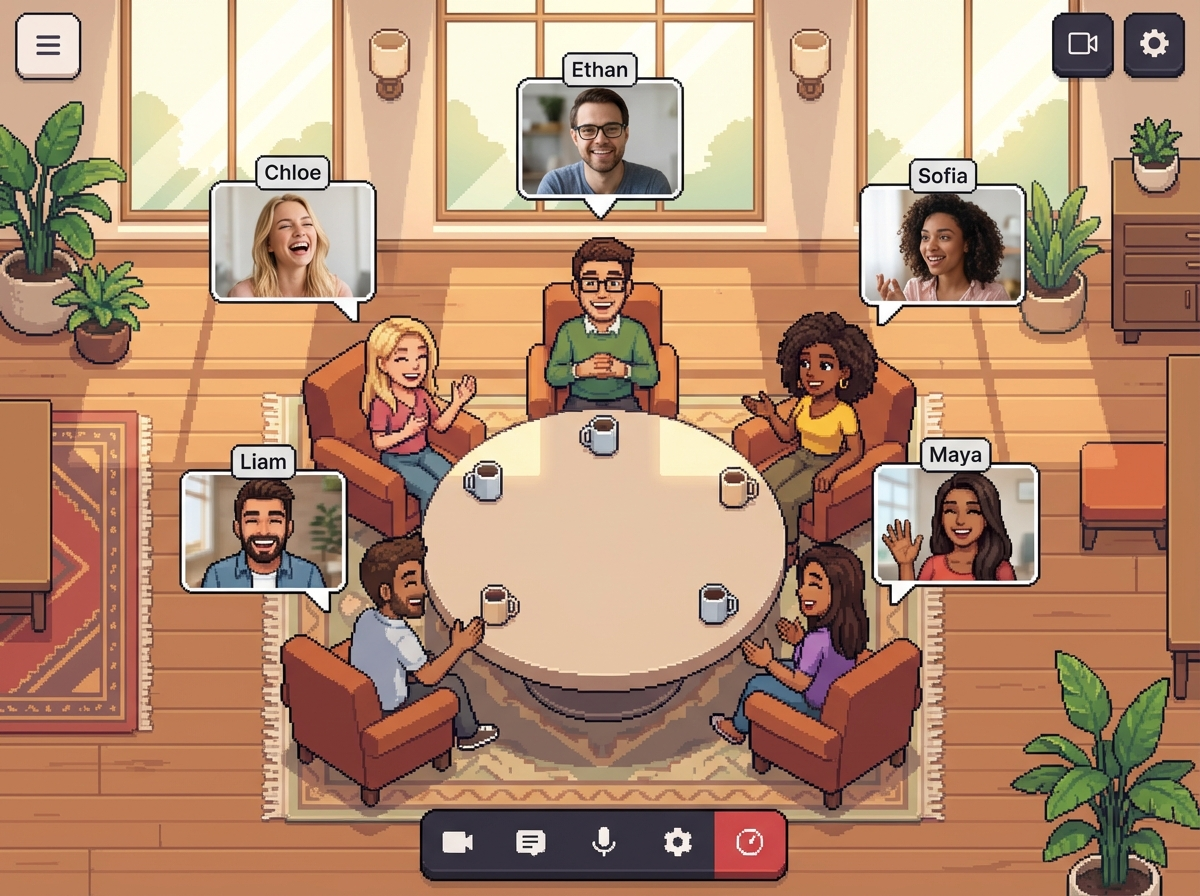
Virtual office platforms function by providing a visual map of a team's current activity. This transparency ensures that before someone initiates a call, they can see if their peer is already engaged in other online meetings or if they are in a "deep work" mode. This level of insight prevents interruptions and ensures that when communication does happen, it is timely and relevant to all participants involved.
To maintain high productivity, teams use these platforms to:
- Monitor real-time availability without sending "Are you there?" messages.
- Transition from a simple status check to active online meetings instantly.
- Create dedicated digital rooms for specific projects or departments.
- Reduce the cognitive load of managing multiple communication channels.
By using Hurbly.ai, teams can bridge the gap between isolation and over-communication. The platform provides the infrastructure needed to see who is present, who is busy, and who is currently participating in online meetings. This visibility fosters a sense of belonging and ensures that remote workers feel connected to the organizational pulse, regardless of their physical location.
Strategies for Reducing Fatigue in Online Meetings
Meeting fatigue is a significant challenge for remote organizations in 2026. Often, this fatigue stems from the rigid nature of formal appointments. When teams lack a way to have quick, informal interactions, they are forced to book 30-minute slots for topics that could be resolved in two minutes. Shifting toward a presence-based model allows for shorter, more frequent online meetings that resolve issues faster than lengthy, pre-planned sessions.
| Communication Type | Traditional Remote Approach | Presence-Based Approach |
|---|---|---|
| Quick Questions | Scheduled 15-min call | Instant 2-min interaction |
| Status Updates | Weekly online meetings | Real-time dashboard visibility |
| Urgent Issues | Multiple "ping" messages | Immediate hop-in voice chat |
| Team Bonding | Forced "Happy Hours" | Spontaneous social presence |
The technical integration of presence indicators directly impacts how online meetings are conducted. When a user sees a "Focus Mode" icon, they respect that boundary, delaying their request. Conversely, seeing an "Available" status encourages a quick voice sync. This dynamic adjustment of communication styles leads to a more respectful and efficient workplace where online meetings are purposeful rather than performative.
Improving Information Flow and Team Transparency
Transparency is the foundation of successful distributed work. When leadership and staff can see the live distribution of effort across the company, it eliminates the guesswork involved in project management. Tools like Hurbly.ai facilitate this by showing which groups are currently collaborating in online meetings and which individuals are working solo. This data helps managers balance workloads and identify bottlenecks in real-time.
For freelancers and small agencies, maintaining this visibility is equally important. It allows them to demonstrate availability to clients or partners without being constantly "on call." By setting clear boundaries through a virtual office interface, they can participate in necessary online meetings while protecting their focused execution time. This balance is critical for long-term sustainability in a remote-first career.
Technical Benefits of Synchronous Virtual Offices
The architecture of modern virtual offices relies on low-latency data streaming to ensure that status changes are reflected instantly. This technology supports the rapid initiation of online meetings, ensuring that audio and video connections are established without the typical delays of link generation and invitation emails. This streamlined process encourages more frequent, high-quality interactions among distributed staff.
- Instant Connection: Users click a teammate's avatar to start online meetings immediately.
- Presence Awareness: Real-time indicators show if a user is muted, away, or sharing their screen.
- Spatial Audio: Some environments use proximity-based audio to make online meetings feel more natural.
- Contextual Status: Users can set custom statuses to explain their absence or current project focus.
Ultimately, the goal of evolving the digital workspace is to make online meetings feel less like a chore and more like a natural extension of teamwork. By prioritizing presence and real-time visibility, companies can create a more cohesive culture that thrives on fluid communication and shared goals. Platforms like Hurbly.ai provide the necessary tools to turn a list of remote names into a vibrant, active, and productive digital office.

