Efficient Collaboration Strategies for the Modern Online Office
In this article

Efficient Collaboration Strategies for the Modern Online Office
The landscape of professional work has shifted significantly toward digital environments. An online office serves as the central hub where remote teams gather to execute tasks, share documents, and maintain professional relationships. Unlike traditional physical spaces, this digital setup requires specific tools to bridge the gap between team members who are physically separated. By utilizing a structured online office, companies can maintain high productivity levels while offering employees the flexibility to work from any location.
The primary function of an online office is to centralize communication and project management. This involves using cloud-based platforms that allow for real-time document editing, task tracking, and instant messaging. When a team operates within a well-organized online office, information silos are reduced because every member has access to the same data and progress updates. This transparency is vital for ensuring that deadlines are met and that everyone remains aligned with the organization's broader goals.
Enhancing Team Presence and Real-Time Interaction
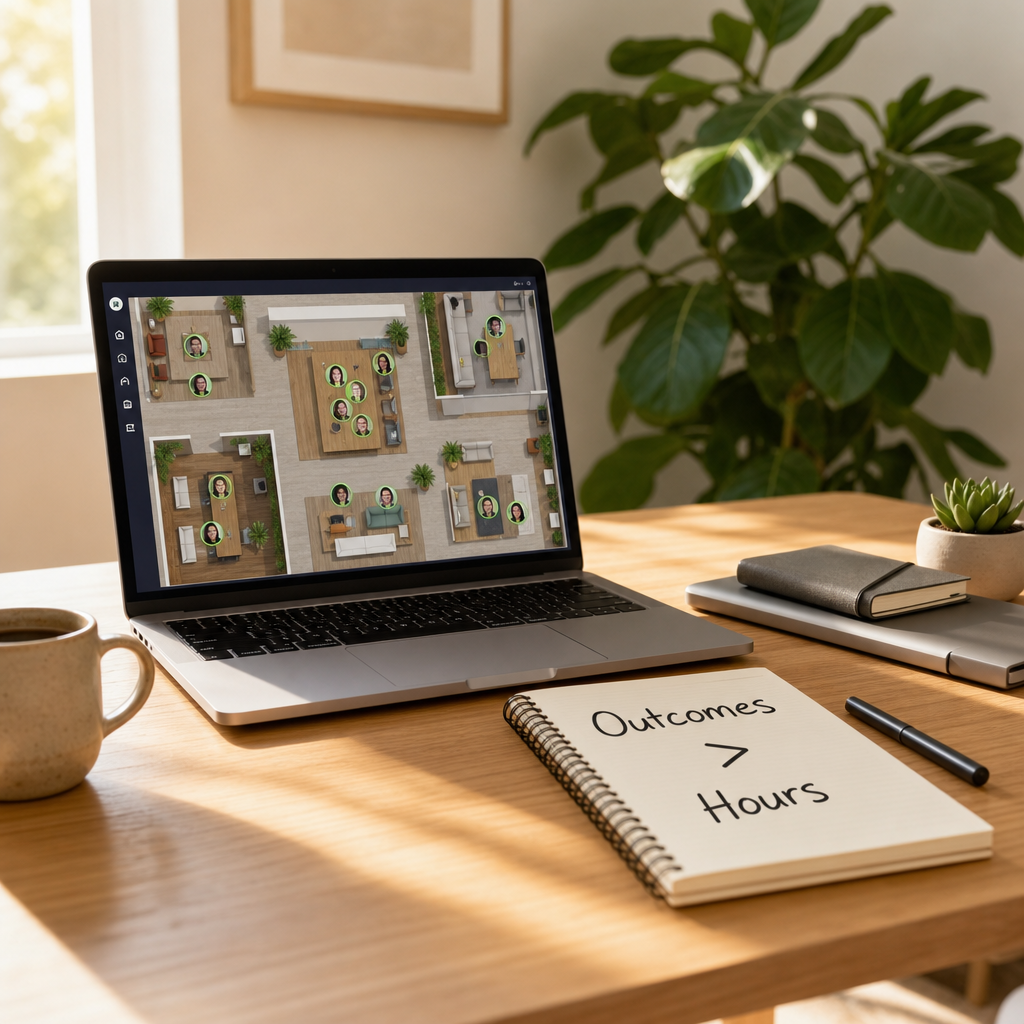
One of the biggest challenges in a remote setup is the lack of spontaneous interaction. A sophisticated online office integrates presence technology to show who is currently available, busy, or in a meeting. Platforms like Hurbly.ai specialize in this area by providing a visual representation of the team. By seeing a colleague's status within the online office, users can initiate quick conversations without the friction of scheduling a formal video call, mimicking the natural "drop-by" interactions of a physical workspace.
To maximize the effectiveness of an online office, teams should adopt clear protocols for availability. This includes:
- Setting specific "focus hours" where notifications are silenced.
- Updating status indicators to reflect current tasks or breaks.
- Using visual cues to signal when a team member is open for a quick chat.
- Integrating calendar sync to automate status updates within the online office.
Essential Components of a Digital Workspace
A functional online office is built upon several core technological pillars. These components ensure that the workflow remains fluid and that technical barriers do not hinder daily operations. In 2026, the standard for a high-performing online office includes integrated security, high-speed data synchronization, and intuitive user interfaces.
| Component | Function in the Online Office | Benefit |
|---|---|---|
| Real-time Presence | Shows live availability of coworkers. | Reduces meeting fatigue and improves speed. |
| Cloud Storage | Centralizes all files and assets. | Ensures version control and easy access. |
| Task Management | Tracks progress on specific deliverables. | Increases accountability and transparency. |
| Instant Messaging | Facilitates quick, informal text exchange. | Streamlines internal communication. |
By focusing on these pillars, managers can create an online office environment that feels cohesive. The goal is to minimize the "distance" felt between remote workers. When the online office provides a clear view of what everyone is doing, it fosters a sense of belonging and shared purpose, which is often lost in purely email-based communication.
Optimizing Communication for Distributed Teams
Effective communication within an online office requires a balance between synchronous and asynchronous methods. Synchronous communication, such as live audio or video, is best for brainstorming and complex problem-solving. Asynchronous communication, such as comments on a task or shared documents, allows team members in different time zones to contribute without being online at the same moment. A robust online office supports both styles seamlessly.
To improve the flow of information in your online office, consider the following steps:
- Define which channels are for urgent matters and which are for general updates.
- Encourage the use of "presence" tools to avoid interrupting focused work.
- Schedule regular but brief "stand-up" meetings to align the team.
- Maintain a central knowledge base within the online office for easy information retrieval.
Using Hurbly.ai as part of your online office strategy helps in reducing the overhead of coordination. Instead of sending a message to ask if someone is free, you can simply look at the dashboard. This immediate visibility turns a fragmented group of individuals into a synchronized unit, making the online office a more productive and less stressful place to work.
The Future of Work and Virtual Presence
As we move further into 2026, the concept of the online office continues to evolve. It is no longer just a collection of links, but a dynamic environment that replicates the social and professional nuances of a physical building. The integration of real-time presence indicators ensures that the online office remains a human-centric space. By prioritizing visibility and ease of access, organizations can ensure their online office remains competitive and capable of attracting top global talent.
Ultimately, the success of an online office depends on the tools chosen to facilitate human connection. By implementing a platform like Hurbly.ai, companies can bridge the physical gap, ensuring that every member of the online office feels seen and supported. This approach not only boosts efficiency but also strengthens the company culture by making spontaneous collaboration a natural part of the workday.

